

Project status, without asking for it
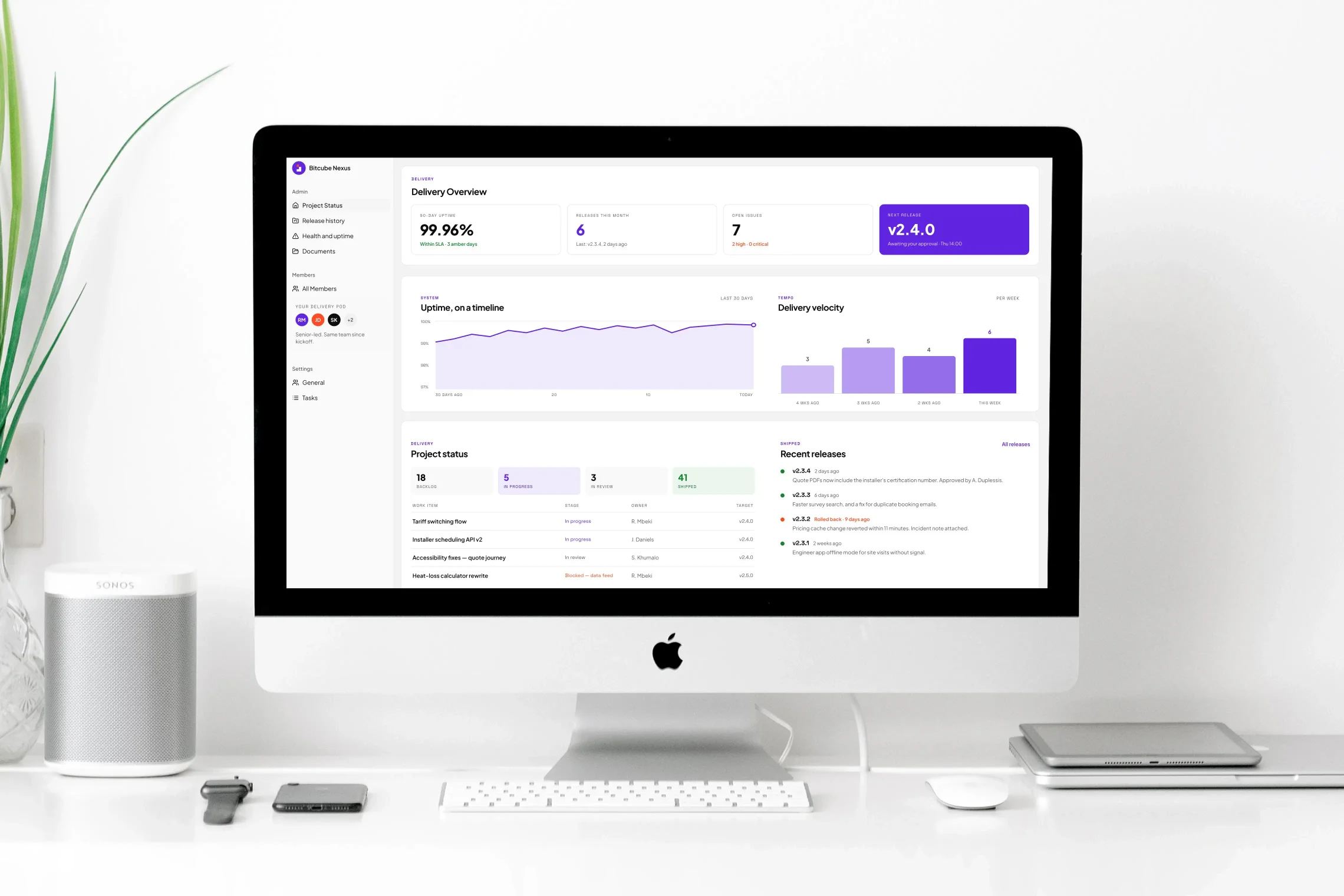
A live view of where your project actually is — current status, the backlog, what's in progress, and what shipped. The answer to “where are we?” is a link, not a meeting.
Bitcube Nexus
Nexus is the platform we run our delivery on — and the part of it you get is a window into your own project. Live status, release history, health and performance reporting, your documentation, and the audit trail that sits behind our certifications.
The Problem
You get a weekly summary written by the people being measured, and a status call to interpret it. When something slips, you hear about it after it has slipped. When your auditor asks who changed what and when, someone goes looking.
We took the view that if we needed this data to run delivery properly, you needed it too — and that showing you the same numbers we work from is the only version of transparency that means anything.
What changes
דCan you send me a status update?”
✓You already have it, live.
דWhat went out in the last release?”
✓Release history, with notes.
דIs the site healthy?”
✓A health timeline, not a guess.
דCan you evidence this for our audit?”
✓The audit trail is the record.
What You See
The Hub is the client-facing side of Nexus. It shows you the same delivery data our own teams work from, filtered to your project.
A live view of where your project actually is — current status, the backlog, what's in progress, and what shipped. The answer to “where are we?” is a link, not a meeting.
Every release, with notes written in plain language and attached to the version tag. You can see what changed, when it changed, and who approved it going out.
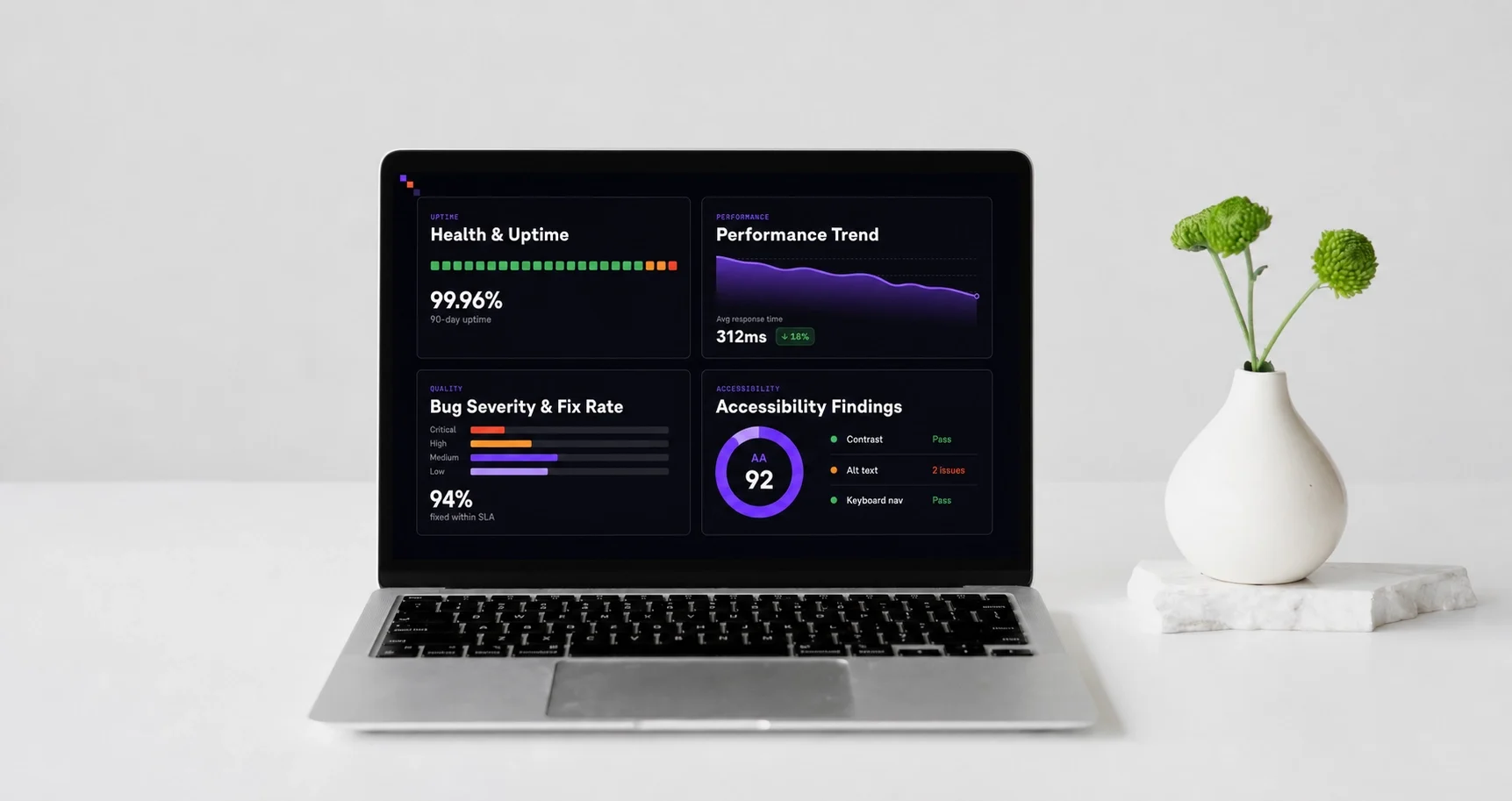
A health dashboard covering the features we've built for you, with a timeline rather than a snapshot — so a degradation is visible as a trend, not discovered as an outage.
Performance graphs with degradations highlighted, slow API requests ranked by impact, bug fix-rate and severity trends, and accessibility findings with the reasoning for prioritising each one.
What You Can Prove
Our certifications require us to evidence how work is done — so the evidence is built into the platform rather than assembled when someone asks. When your own auditors, or a client of yours, need proof of how your software is managed, it already exists.




ISO 27001 for information security, ISO 42001 for AI management, Cyber Essentials for baseline operating security, and IASME Cyber Baseline for organisational and supply-chain controls — all four certified independently, not self-declared.
Every data change across the platform is logged — who made it, what changed, the value before, the value after, and when. Not a summary after the fact: the record is the mechanism.
Vulnerability scanning runs on a schedule against your project. You can see the open issues with their priorities, and request and download the audit report yourself.
Who can see what is a configured control rather than a convention — across your project's data, documentation, and secrets.
Every company device is on a register with its assignment history — who holds it, since when, and when it came back. The answer to the asset-custody question in your security questionnaire already exists.
What You Keep
Documentation goes stale because writing it is a separate job from doing the work. We generate ours from the system itself, which is why it still matches the code six months later — and why handover isn't a project of its own.
We've done this for real. When our three years on Good Energy's heat pump journey ended, the repositories moved across with six technical documents covering architecture, deployment, integrations, monitoring and incident handling.
Read the Good Energy case studyUnderneath
A dashboard is only as good as the consistency of what feeds it. Ours works because every Bitcube project is set up the same way, by the same tooling, on day one.
Repository, task board, environments, communication channels and documentation are configured by our own tooling when a project is confirmed. What used to take hours of coordination takes seconds — and it produces the same structure every time, which is what makes cross-project reporting possible at all.
Authentication, error handling, logging, health checks and access control come from libraries we maintain and reuse, so they're solved once rather than reinvented per project. Where we use AI to accelerate delivery, it works from that validated baseline rather than from scratch.
Production releases follow an approval workflow with notes attached to the version tag. Nothing reaches your users without a named approval and a record of what changed.
Standardisation also means continuity. Because every project follows the same shape, a Bitcube engineer who hasn't worked on yours can pick it up without a month of archaeology — and you aren't dependent on one person's memory.
Proof
Twenty-one automated health checks, each identifying a way subscription billing used to fail silently — surfaced on a dashboard before a member or a trainer noticed.
Three years of delivery with no downtime, held to WCAG 2.2 Level AA across three audits, handed over with the repositories and six technical documents.
We'll walk you through the Hub on a real project — redacted — so you can judge the reporting for yourself before committing to anything.
Book a walkthrough

